

 
|

|
Stores
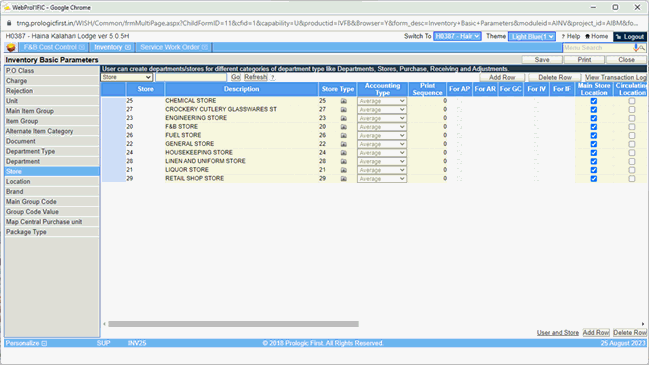
All stores where stock of items is maintained need to be defined in the Store Master.
To define the Stores:
I. Type in the unique 4 character store id.
II. Type in the description of the store id.
III. Select the store type from the dropdown list, to which the store id should belong.
IV. In case there is more than one store location within a store type, any one of the stores can be identified as a main store location, by ticking the checkbox in the Main store location column.
V. A store can be marked as circulating location, which means that the store will stock circulating items. The concept of circulating items have been explained later in the manual
Users access to each of the stores created have to be configured using the User and Department Link, present at the bottom of the screen. The steps of configuring the user access to stores are similar to the ones required for Departments.

