|

|
Item Groups
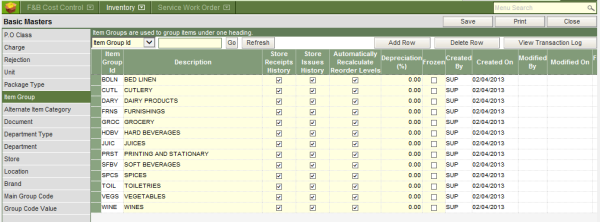
All inventory items have to be categorized into item groups, for example spices, wines, juices, printing & stationary etc. WebProl’IFIC requires item groups not only to categorize inventory items of similar nature into a group, but also for posting consumption and inventory stock value into General Ledger, using the General Ledger Account Setup.
To define item groups:
I. Type in the four character unique alphanumeric item group code.
II. Type in the description of the item group code.
III. Store Receipts history should be ticked for the system to be able to maintain the history of all the receipts of items belonging to the item group.
IV. Store Issues history should be ticked for the system to be able to maintain the history of all the consumption of items belonging to the item group.
V. Ticking the check box in the column of automatically recalculate re-order level, is one of the parameter required by the system to calculate the re-order level of the item group without any manual intervention.
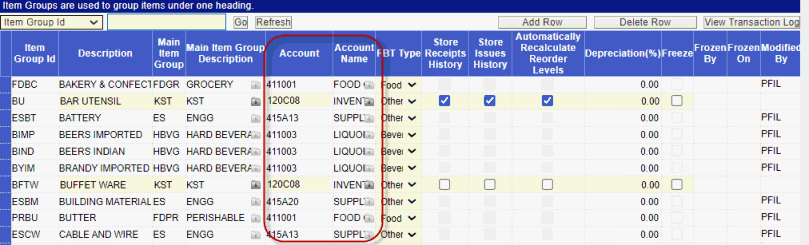
Item groups for Cost center setup:
Incase of a Cost center setup of ledger accounts, the cost ledger account codes can be defined while creating the Item groups.